 Beat
Beat
Four decks. Cloud-synced.
Never locked in.
BeatCloud is a real mixing desk for DJs — decks, crossfader, EQs, hot cues — with your whole library synced across every laptop you own. Every track's also separated into drums, bass, other, and vocals in the cloud, live in the mix.
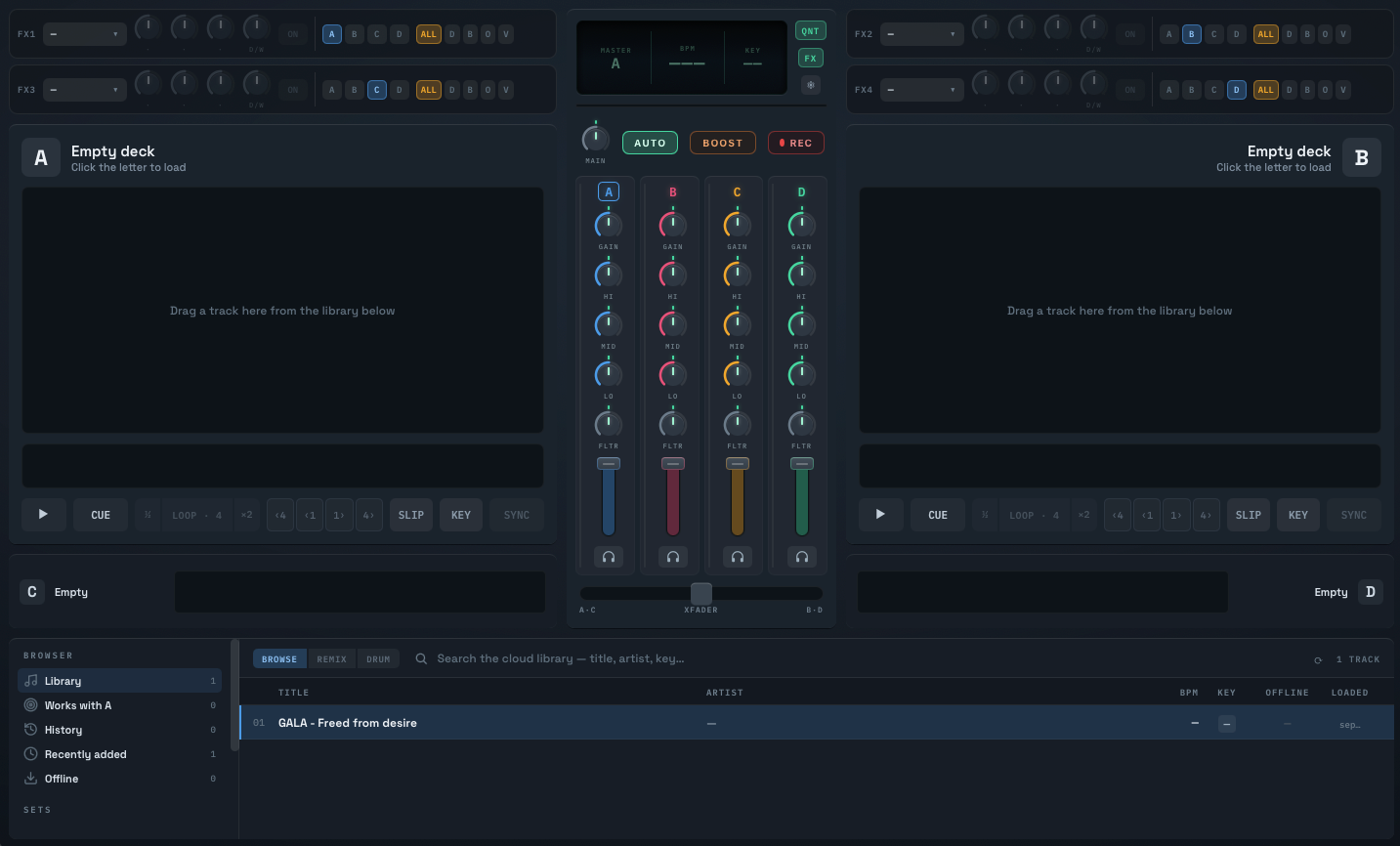
Server-computed BPM · key · beatgrid the moment you upload — no manual analysis
Your library follows you. No USB stick required.
Four decks, always on. Tracks, cues, grids, and Remix Rack sets sync to your account — plug in a different laptop and everything's already there, no export/import ritual before a gig.
Your analysis. Your file. Yours to keep.
Every BPM, key, beatgrid, and cue you build is exportable as an open file — so switching apps later doesn't mean starting your library over from zero.
Arm a cell. It drops on the next bar.
The Remix Rack is a grid of stem-cells — tiny slices of drums, bass, other, or vocals from any track in your library, laid out in four columns. Click one and it locks in beat-perfect on the next bar, Ableton-clip-launch style, per stem.
Build whole sets of cells and save them as named Remix Rack sets — synced to your account, ready to load at the next gig.
Plenty of DJ apps split stems now. Ours don't tax your laptop.
BeatCloud separates every track in the cloud, automatically, the moment you upload it — not a local process you switch on for one song and wait on. It's just always there, on any laptop.
Mute a stem mid-set and it's actually gone — not an EQ trick, a missing layer, live in the waveform, live in the mix.
8 cues. Every track. Every device.
Drop 8 hot cues per track and they're there the next time you load it — on any laptop, any gig, no re-cueing from memory.
Sync, phase-lock, keylock — done right.
A precise beatgrid, computed the moment you upload, feeds real sync, phase-lock, and keylock — the fundamentals you rely on every night, still here.
How it works
Upload a track
Drop any track into your library from the desktop app.
The cloud separates & analyses it
Drums, bass, other, vocals — plus BPM, key, and beatgrid, computed once, server-side.
Mix live on desktop
Your stems, cues, and Remix Rack sets are synced and ready — on any device you sign into.
Your decks. Your library. Never locked in.
Free to create an account. Mix on the desktop app.
Download for MacAlready have an account? Log in
FAQ
Do I need a powerful computer?
No. Stem separation runs on our servers, not your laptop — the desktop app just plays back stems that are already separated.
What happens to my analysis if I stop using BeatCloud?
It's yours. Export every track's BPM, key, beatgrid, and cues as an open beatcloud.prep.v1 file, matched by audio fingerprint — nothing is locked in a proprietary format.
Doesn't every DJ app have stems now?
Most do. The difference is where the work happens: BeatCloud separates every track in the cloud, automatically, the moment you upload it — not a local process that taxes your laptop or a toggle you switch on for one song. It's just always there.
Is BeatCloud available on Windows?
BeatCloud is Mac only right now.
What can I actually do with the Remix Rack?
Arm any stem-cell from your library and it drops in beat-locked on the next bar — build and save whole sets of them, synced to your account, ready for the next gig.